
Workplace Technology • 24 Aug 2026
Empower Your Team. Track What Matters Most.
Real-Time Team Visibility — Zero Micromanagement.
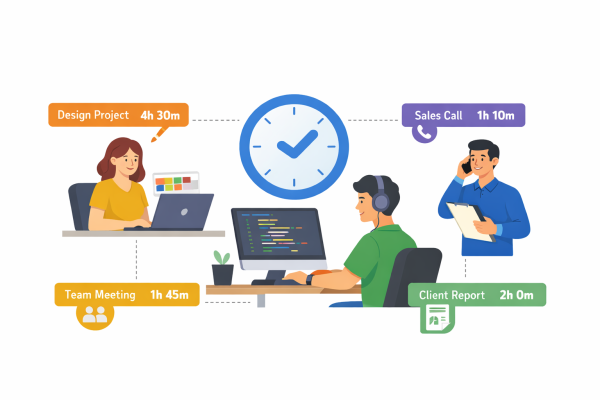
Workroom delivers complete clarity into hours, software usage, and output across remote and hybrid teams. Eliminate administrative friction, identify operational bottlenecks, and pay for actual work done.
Workflow
Look at a glance how our app works

Seamless Setup
Install the lightweight Workroom agent on Windows, macOS, or Linux in under two minutes.

Automated Data Capture
Workroom silently records active hours, software, websites, and idle periods without interrupting daily workflows.

Actionable Insights
Review real-time dashboards to optimize resource allocation, streamline client billing, and approve verified timesheets.
Workflow
Look at a glance how our app works
Seamless Setup
Install the lightweight Workroom agent on Windows, macOS, or Linux in under two minutes.
Automated Data Capture
Workroom silently records active hours, software, websites, and idle periods without interrupting daily workflows.
Actionable Insights
Review real-time dashboards to optimize resource allocation, streamline client billing, and approve verified timesheets.
The features you need
All in one place.
Tracking Accuracy
Precise to the second via background logging
Proof of Work
Verified via activity rates, app logs, and screenshots
Admin Effort
Zero manual entry; automated exports & approvals
Productivity Insights
Deep breakdowns of focus time, apps, and site usage
More Features
Testimonial
Clients Say Workroom
Sandra M, HR Manager
Work-Room’s timesheet approvals saved us so much back-and-forth, and the live dashboard helps me coach better
Rahul K, CTO, Digital Agency
We cut 15% of non-billable time in two months just by reviewing productivity reports.
Emma L, Remote Operations Lead
Finally, a tool that shows us how we really spend time — without feeling like Big Brother.
Features
Explore our features
Silent & Interactive Time Tracking
Capture hours and task allocations automatically, or give employees manual start/stop control per project.

App & URL Categorization
Automatically tag websites and applications as productive, unproductive, or neutral based on team roles

Privacy-Conscious Screenshots
Optional proof-of-work captures with configurable frequencies and automatic blurring for sensitive data.

Smart Idle Time Detection
Detect mouse and keyboard inactivity automatically, giving users the option to retain or discard idle periods.

Timesheet Approval Workflows
Review, adjust, approve, or reject team logs in one click to maintain accurate records for billing and payroll.

Productivity & Burnout Analytics
Identify top performers, highlight time drains, and detect overworking before fatigue impacts output.
Frequently Asked Questions
Workroom is a workforce analytics and automatic time-tracking platform that
gives management clear operational visibility while helping employees optimize
their daily workflows.
Workroom records active hours, idle periods, window titles, software usage,
URLs visited, and mouse/keyboard activity levels. Optional features include
periodic screenshots.
Privacy controls are fully customizable. Admins can disable screenshot captures,
restrict tracking to fixed working hours, enable screen blurring, or allow staff to
edit idle time.
Yes. Granular role permissions allow you to define exactly who can view live
screens, export reports, edit timesheets, or access financial data.
Yes. Workroom features native desktop applications for Windows, macOS, and
Linux, as well as mobile companion apps for iOS and Android.
Yes. If an internet connection drops, Workroom continues recording activity
locally and syncs all data seamlessly once reconnected.
Workroom calculates billable and non-billable hours using custom pay rates,
allowing one-click exports directly to payroll tools like QuickBooks and Gusto.
Absolutely. Workroom provides independent contractors and agencies with
verifiable proof of work and precise time logs to build trust with clients.
Blogs
About WorkRoom
Remote Work • 24 Aug 2026
How to Manage Remote Teams Without Micromanaging ?
Productivity & Team Management • 24 Aug 2026
How Time Tracking Improves Team Productivity ?
Ready to get started?
Try Workroom free for 90 Days
💬
Chatbot
✖